Scrivener vs Atticus vs Dabble vs Ulysses
These four turn up together on every shortlist, and they are not really competing for the same job. One organises a manuscript, one formats a finished one, one rebuilds the first in a browser, and one takes the furniture away. Prices below are current, platforms are exact, and every pairing gets a straight answer rather than a shrug.
The short answer
Scrivener wins on organising and on export range, and loses the moment the book has to open on a second machine. Atticus wins on formatting and is thin on drafting. Dabble is Scrivener's shape in a browser, at a subscription price. Ulysses is the quietest place to write if you are on Apple hardware and keep the structure in your head.
- Scrivener or Ulysses: Scrivener, unless you are on Apple hardware and want the panels gone.
- Scrivener or Atticus: they do different halves. Scrivener to write it, Atticus to make the paperback.
- Scrivener or Dabble: Dabble if you need it in a browser on more than one machine, Scrivener if you would rather pay once.
- None of the four reads your finished draft back to you. That is the row at the bottom of the table, and it is what we built.
The five tools
The four you came for, in the order they turn up on a shortlist, and then ours. Each entry says what the tool does and where it stops, with the price and the platforms taken from its own pages.
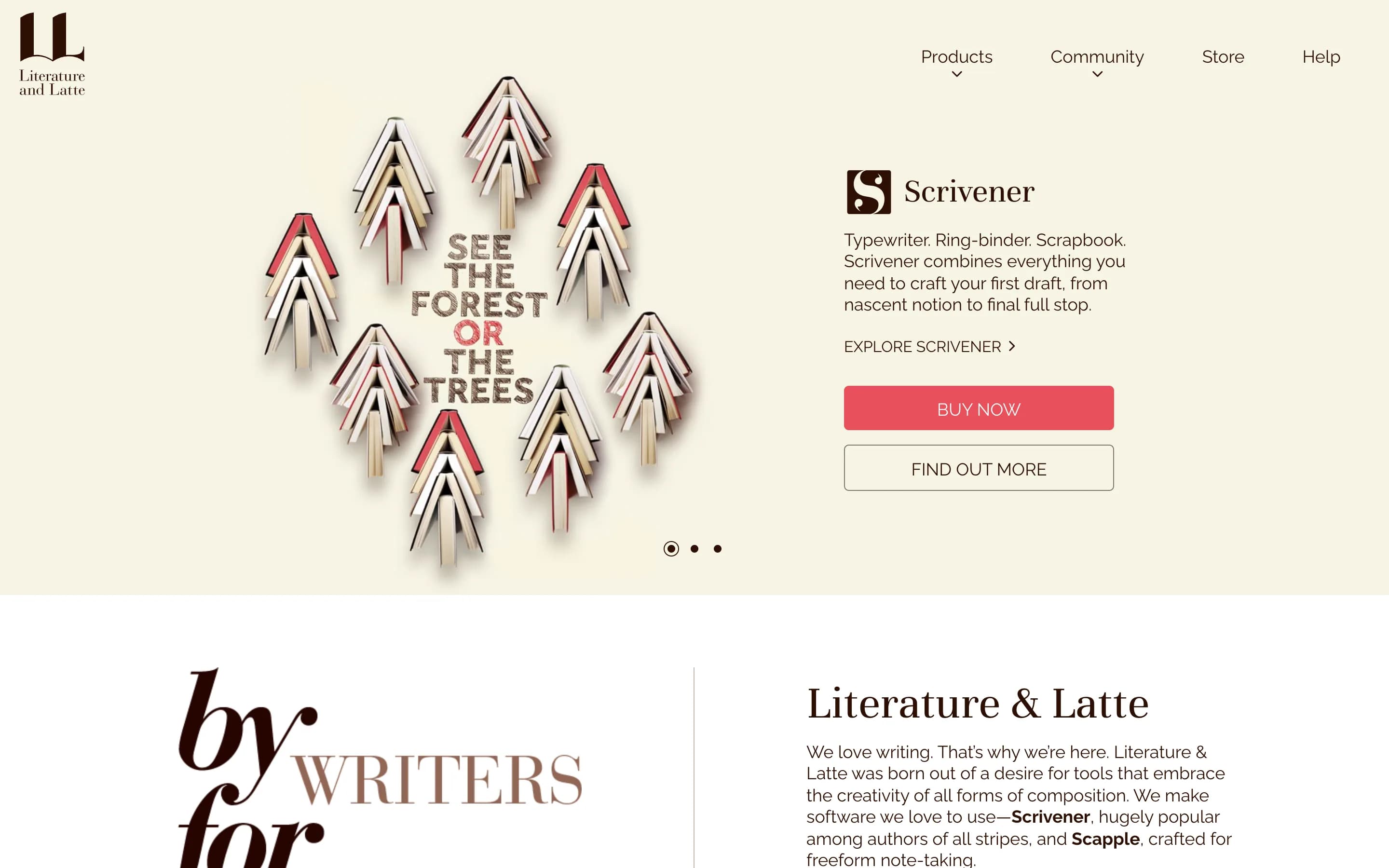
1. Scrivener
- Best for
- The book lives on one machine and you would rather buy than rent
- Price
- $59.99 for one platform, bought once. iOS is US$23.99 and is a separate purchase. No subscription.
- Runs on
- macOS, Windows and iOS, licensed separately
Scrivener is the one the other three are answering. It set the shape people now expect from a book-writing app, and Compile still writes six formats on the way out, including Final Draft with the script notes intact and MultiMarkdown for a LaTeX pipeline. Because it installs on the machine, the draft and the research sit in one file that opens without a connection.
What sends writers looking is the licence. It covers one platform, so a macOS copy will not open the Windows version, and moving a project to an iPad runs through Dropbox that you set up and repair yourself. Each of the other three answers that same complaint in a different way, which is why all four keep landing on the same shortlist.
What it does well
- Six export formats, Final Draft and MultiMarkdown among them
- Draft, images, PDFs and audio in one project file
- Bought once rather than rented
- The trial counts days you write, so a slow month costs nothing
Where it falls short
- A macOS licence will not open the Windows version
- Nothing runs in a browser, so a borrowed machine is out
- iPad sync is Dropbox that you configure and maintain
2. Atticus
- Best for
- The writing is done and the paperback is the last thing in the way
- Price
- $147 once, with future updates included and a 30-day money-back guarantee.
- Runs on
- Browser, plus Windows, Mac, Linux and Chromebook
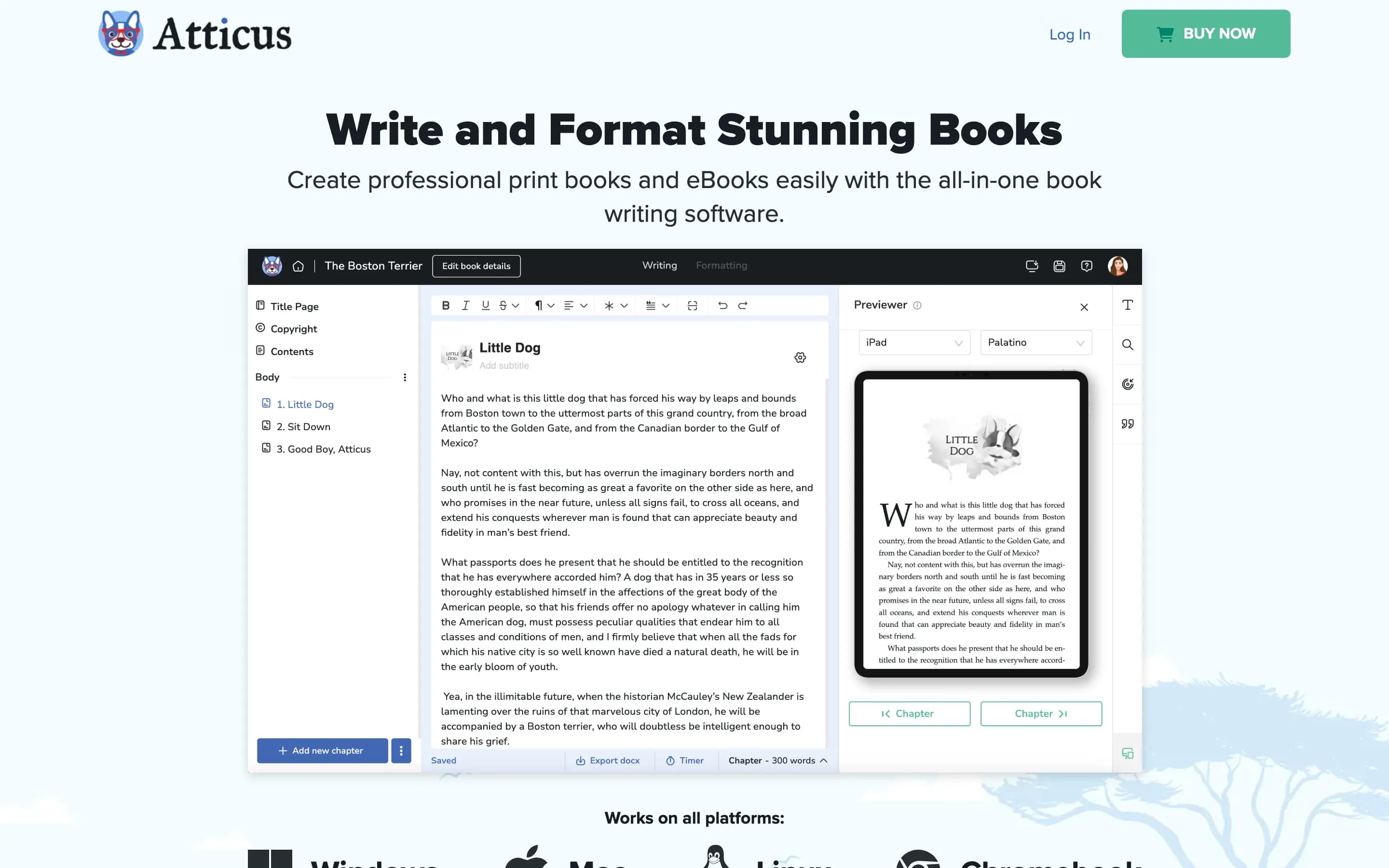
Atticus skips the drafting months altogether, which makes it the odd one in this group. It picks the book up once the writing is finished. Seventeen templates combine into more than a thousand interiors, a theme builder covers whatever they miss, and a previewer shows the result on a Kindle and a phone before you commit to it.
For the writing side, its own pages list a word counter and a habit tracker and stop there. Set beside Scrivener and Dabble that looks like an absence, and it is a decision. It is also what lets Atticus charge once where Dabble charges every month. On price it sits beside Scrivener. On plotting it does not sit in this comparison at all.
What it does well
- Seventeen templates opening into more than a thousand interiors
- See the page as a Kindle and a phone will render it
- EPUB, PDF and DOCX out of a single file
- $147 once, updates included
- Installs on Linux and Chromebook as well as Windows and Mac
Where it falls short
- Nothing on its pages for characters, world or plot
- Nothing to help across the months you are writing the thing
- A refund window rather than a trial, so you pay first
3. Dabble
- Best for
- The same book has to open on more than one machine, and installing things is not an option
- Price
- Writer $19, Author $29, Bestseller $49 a month. Lifetime Author Access $699. 14-day trial, no card.
- Runs on
- Any browser, plus Windows, Mac and Linux
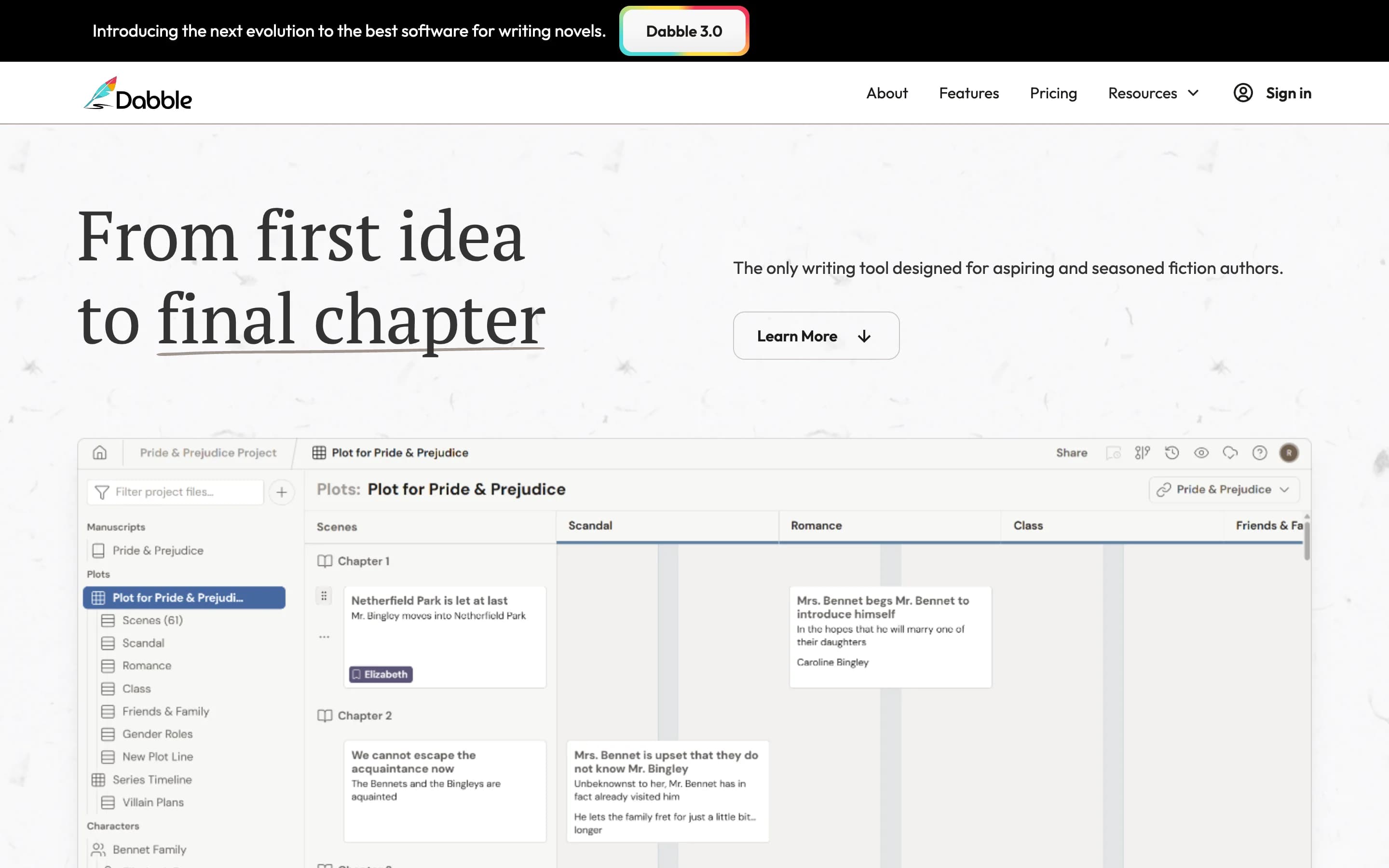
Solve Scrivener's licence problem and you land somewhere close to Dabble. The Plot Grid holds the scene-by-scene shape of the book, character profiles and a worldbuilding bible sit beside it, and the same account opens in a browser or in the Windows, Mac and Linux apps, which their downloads page sums up as online or off. The $19 plan already carries unlimited manuscripts, version history and a second writer in the document with you.
The bill arrives monthly and it climbs. The tools for marking a draft up, which are comments, track changes and beta-reader support, sit a tier above at $29, so the moment you want another pair of eyes the price moves. There is no free plan, only fourteen days, though the trial takes no card.
What it does well
- Scene grid, cast and world notes all held in one place
- Browser and desktop, working online or off
- A second writer in the document from $19
- $699 buys it outright and ends the monthly bill
Where it falls short
- Fourteen days, and after that it is paid only
- Marking up a draft starts at $29 rather than $19
- Export is named as Word and text, so an ebook happens elsewhere
4. Ulysses
- Best for
- You write on Apple devices and keep the plot somewhere other than the app
- Price
- $5.99 a month or $39.99 a year. Reduced pricing for students. Subscription only.
- Runs on
- Mac, iPad and iPhone
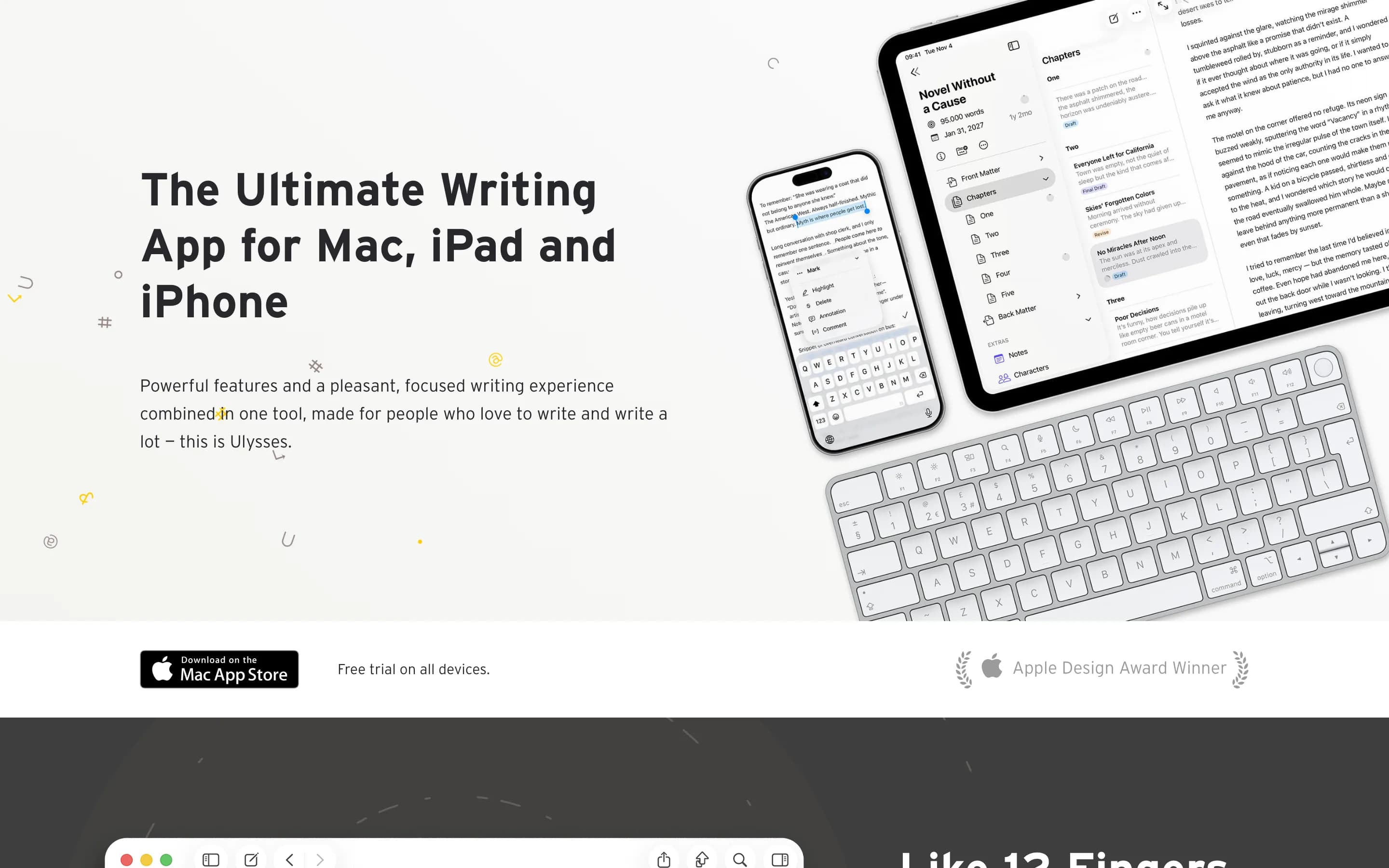
Ulysses answers the same question by taking things away. One markup surface, a library holding every draft, and sync across Apple devices that arrives switched on. Around it sits language checking in more than twenty languages, and publishing straight to WordPress, Ghost, Medium and Micro.blog, which the other three do not describe.
The price of that quiet is the organising layer. Its pages describe no plot grid and no character database, so the structure lives in your head or in a second app. It also runs on Macs, iPads and iPhones and nothing else, which settles the choice before any of the rest of it matters.
What it does well
- Nothing on screen except the text
- Apple sync included, with nothing to configure
- Style and grammar checking in over twenty languages
- Posts straight to WordPress, Ghost, Medium and Micro.blog
- $39.99 a year, and less for students
Where it falls short
- Macs, iPads and iPhones, and nothing else
- Rented, with no one-off price offered
- No plot grid and no character database described
5. Draftly
- Best for
- Wanting the manuscript, the cast and an editorial read behind one login
- Price
- Free to start. Starter $10, Pro $20, Studio $50 a month, or the same amounts bought once as a credit pack.
- Runs on
- Browser, Mac and Windows
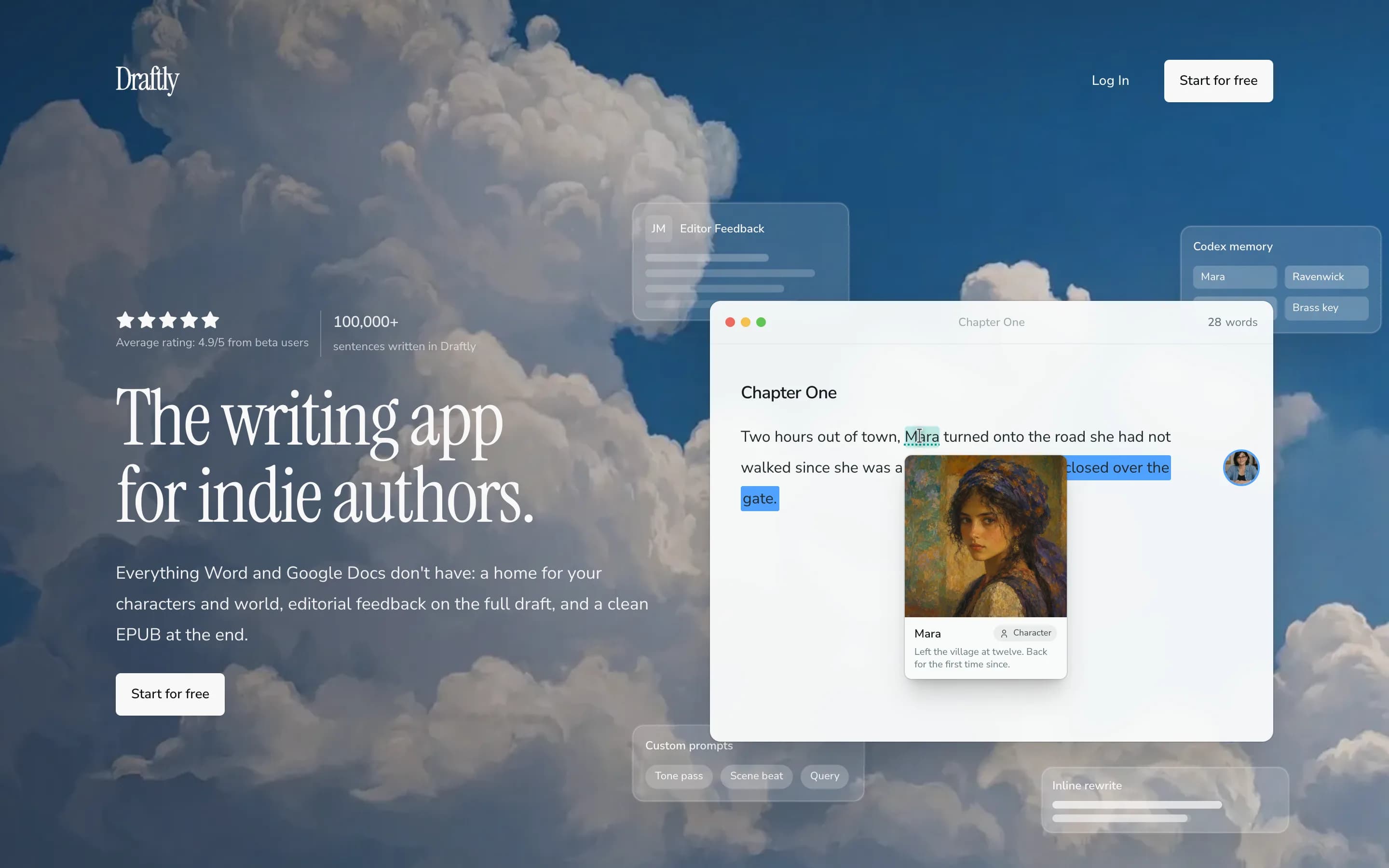
Ours, and last for that reason. A Codex holds one entry per character, place and object, and that entry opens against the chapter where the name appears. Boards draw the relationships between those entries. Timelines put the order events happened in next to the order the book tells them. When a draft is ready, AI editors work through it end to end and mark up the passages that need attention, which is the one thing none of the four above does.
Imports take .docx, .odt, .rtf, .pdf and Markdown, and a whole Scrivener project as a .scriv file, so moving off Scrivener is an upload rather than a rebuild. Exports reach EPUB, Word and a print-ready PDF, plus Markdown, RTF, ODT and plain text. The free tier takes no card and runs without a time limit, covering the writing surface, the Codex and both directions of that file list, with 200 welcome credits. Boards, timelines, version history, prose analysis and custom editors need a paid plan.
What it does well
- AI editors read the full manuscript and answer in minutes
- Opens a Scrivener .scriv project directly
- Codex, boards and timelines hold the book rather than only the text
- Free tier with no card, and no time limit on it
- EPUB, Word and a print-ready PDF from the same draft
Where it falls short
- No Final Draft or Pandoc export, which Scrivener has
- No mobile app (yet)
- No formatting templates of the kind Atticus is built around
- The reads are paid in credits, so a long manuscript and a lot of revisions cost more than a flat monthly fee would
Head to head
Scrivener vs Ulysses
Scrivener, unless you are on Apple hardware and want the panels gone.
These two disagree about what a writing app is for. Scrivener gives you a Binder, a corkboard, an outliner and a research folder, and expects you to arrange them. Ulysses gives you one surface and a library, and expects you to keep the structure elsewhere. If a novel got too big to hold in your head, the first answer fits and the second does not.
Three splits decide it. Hardware: Ulysses is Apple only, Scrivener adds Windows. Sync: Ulysses includes it, Scrivener routes you through Dropbox. Money: $39.99 a year against $59.99 once, so Ulysses is cheaper in year one and dearer by year two. Ulysses does have the better line editing of the two, and Scrivener documents nothing equivalent.
Scrivener vs Atticus
Different halves of the same job. Scrivener writes it, Atticus makes the paperback.
They get compared because both cost one payment and both call themselves book software. They meet at opposite ends of the process. Scrivener has the Binder, the corkboard and the research folder. Atticus has seventeen interior templates and a previewer instead.
Buy the one matching the half that is slowing you down. Paperback the problem, manuscript finished: $147 for Atticus, and Scrivener will not help. Manuscript the problem: $59.99 for Scrivener, and Atticus's writing side is thin by design. Atticus wins on reach, because it opens in any browser and Scrivener has no browser version at all.
Scrivener vs Dabble
Dabble if the book has to open on more than one machine. Scrivener if you would rather pay once.
Dabble is the closest thing here to Scrivener rebuilt for a browser. The Plot Grid stands where the corkboard was, character profiles and a worldbuilding bible cover what the research folder held, and sync across devices is on the $19 plan rather than something you wire up yourself.
The money runs the other way. Dabble passes Scrivener's $59.99 before the fourth month, and the comment and track-changes tools sit a tier higher again at $29. Lifetime Author Access at $699 stops the meter, though that is eleven Scrivener licences. Scrivener keeps the export advantage: Compile reaches six formats and Dabble's pricing page names none.
Atticus vs Dabble
Dabble to write the book, Atticus to publish it. They are not really rivals.
Both run in a browser and both are sold to self-publishing authors, which is why they land on the same shortlist. What they do barely overlaps. Dabble holds the drafting months and Atticus holds the week after them, and neither reaches into the other: Dabble's pages do not name an export format, let alone a trim size or a typeface.
Cost decides it where the features do not. Atticus is $147 once, and Dabble is $19 a month for as long as you keep it, unless you take Lifetime Author Access at $699. An author who finishes a book every two years is paying Dabble through a lot of months with no writing in them.
What none of the four does
There is one row where all four answer the same way. Not one of them reads your finished manuscript and tells you what to fix. Scrivener documents no AI features. Atticus's pages describe a word counter and a habit tracker. Dabble puts advanced grammar and style checks on the $29 tier and nothing above the sentence. Ulysses checks language across twenty-plus languages and describes nothing that looks at a draft whole.
Sentence-level checking is a solved problem and all four do some of it. What none of them answers is whether chapter eleven is where the middle sags, whether the reveal lands too early, or which of three subplots is not earning its pages. That is the reason Draftly exists, which is a bias worth stating plainly on a page about four other people's products.
It is worth saying, equally plainly, that plenty of novelists want that row empty. If you would rather nothing read your manuscript back, or would rather it stayed on your own machine, that empty row is an argument for the four above. Scrivener and Ulysses are the two that install locally and keep the draft there. If sentence polish is the thing you are missing, Ulysses already has it and none of this is a reason to switch.
Every tool at a glance
| Feature | Scrivener | Atticus | Dabble | Ulysses | |
|---|---|---|---|---|---|
| Best for | Organising a long draft | The print interior | Scrivener's organising, in a browser | Writing with nothing in the way | Keeping the whole book together |
| Price | $59.99 per platform | $147 | $19 to $49 a month | $5.99 a month, $39.99 a year | $0 to $50 a month |
| Payment | Once, per platform | Once | Monthly, or $699 lifetime | Subscription only | Monthly, or a credit pack |
| Runs on | macOS, Windows, iOS | Browser, Windows, Mac, Linux, Chromebook | Browser, Windows, Mac, Linux | Mac, iPad, iPhone | Any browser, plus Mac and Windows. No mobile |
| Free tier | 30 days of use | No, 30-day refund | No, 14-day trial | No, free trial only | Yes, no card |
| Manuscript organisation | Binder, corkboard, outliner | Chapters, drag to reorder | Plot Grid and story notebook | A library of drafts | Chapters, boards, timelines |
| Characters and world | A research folder holding files | Not described on their pages | Character profiles, worldbuilding bible | A library of drafts, no character database | Codex, linked to the chapter |
| Formatting and export | Compile: Word, RTF, PDF, EPUB, Final Draft, MultiMarkdown | EPUB, PDF and DOCX from one file | Word and text file | PDF, Word, ebooks, and straight to WordPress, Ghost and Medium | EPUB, Word, print-ready PDF, Markdown, RTF, ODT, text. No Final Draft |
| Reads the full draft | No AI features documented | No AI features documented | No AI features documented | Grammar and style check, no AI | AI editors, notes in the margin |
| Collaboration | No live collaboration documented | Not described on their pages | Co-authoring from $19, comments from $29 | Not described on their pages | A co-writer in the same document |
| Offline | Yes, it is an installed app | Writing yes, import and export need a connection | Yes, their downloads page says online or off | Yes, it is an installed app | Mac and Windows apps, but the AI editors need a connection |
Questions & Answers
- Which is better, Ulysses or Scrivener?
- Scrivener, for most people writing a novel, because it holds the structure and Ulysses deliberately does not. Ulysses is the better answer if you are on Apple hardware, keep the plot in your head, and want the interface to disappear. It also has the better line editing of the two. The hardware question usually settles it: Ulysses is Mac, iPad and iPhone only, and Scrivener adds Windows at $59.99 for that platform.
- Is Atticus worth the money?
- If you are publishing the book yourself and the interior is the problem, yes. $147 once buys seventeen templates, a theme builder, a previewer that shows the page on a Kindle, an iPhone, an iPad and a Galaxy, and one file producing EPUB, PDF and DOCX, with no subscription behind it. It is poor value if you are still drafting, because its own pages describe no character database and no plotting view, and those are the months the money would be sitting idle.
- Is Dabble a good writing program?
- Yes, for the job it is built for, which is organising a novel in a browser. The $19 Writer plan carries the Plot Grid, character profiles, a worldbuilding bible, cloud sync, co-authoring and version history. Two things to check before committing: there is no free plan, only fourteen days, and the comment and track-changes tools a beta reader needs are on the $29 tier rather than the $19 one.
- Is there anything better than Scrivener?
- Not at organising a draft on one machine, and nothing here matches Compile for export range. Better depends on which limit you hit. If it is the licence covering one platform, or the missing browser version, or Dropbox sync, then any browser tool is better on those three counts, and Dabble rebuilds most of Scrivener's shape. If it is that nothing tells you what the draft needs, none of these four will fix it.
- Do real writers use Scrivener?
- Yes, widely, and after twenty years the more useful question is which part they use. Writers who stay tend to be the ones using the Binder and Compile on a single machine. Writers who leave tend to name the same three things: the licence covering one platform, no browser version, and conflicted copies coming back from Dropbox.
- Is Scrivener worth it in 2026?
- On one computer, yes. Set against Dabble at $19 a month, a single $59.99 payment has paid for itself by the fourth month, and Compile still reaches formats the other three do not. The answer flips the moment a second device enters the picture. One licence covers one platform, so a writer working across macOS, Windows and iOS buys three of them, and there is no browser version to fall back on when the machine is not yours.
Un posto solo per tutto il libro.
Apri un capitolo e tutto quello che gli serve è già accanto: il cast, i luoghi, le regole che hai inventato, la nota che ti sei lasciato a novembre. Niente da cercare, niente da sincronizzare a mano — e senza quell'attrito, i giorni in cui scrivi cominciano a sommarsi.