The best Scrivener alternatives in 2026
Three things push writers off Scrivener, and none of them is the writing. There is no web version, so the book only opens on machines you have installed it on. Syncing to an iPad runs through Dropbox and comes back with conflicted copies. And a Mac licence will not open on Windows, because every platform is a separate purchase.
The short answer
Draftly is the closest replacement for a writer who wants the whole book in one place: chapters, a Codex of characters and places, boards, timelines, and an editorial read on the full draft, open in any browser. Dabble rebuilds Scrivener's shape in a browser and stops where the organising stops. Atticus is the one to reach for once the writing is done and the job left is a print interior.
- Want it in a browser with sync that looks after itself: Draftly or Dabble.
- Want AI that writes new prose for you: Sudowrite, or Novelcrafter if you already hold an API key. Want AI that reads and reworks the draft you have: Draftly.
- Want to pay once instead of monthly: Atticus at $147.
- Want to spend nothing: bibisco's Community edition, or Draftly's free tier.
Seven worth a look
Ours is first because it is ours. After that, in rough order of how close each one comes to replacing Scrivener outright. Every entry says where the tool falls short as well as what it does well.
1. Draftly
- Best for
- A writer who keeps losing track of what they invented in book one
- Price
- Free to start. Starter $10, Pro $20, Studio $50 a month, or the same packs bought once.
- Runs on
- Browser, Mac and Windows
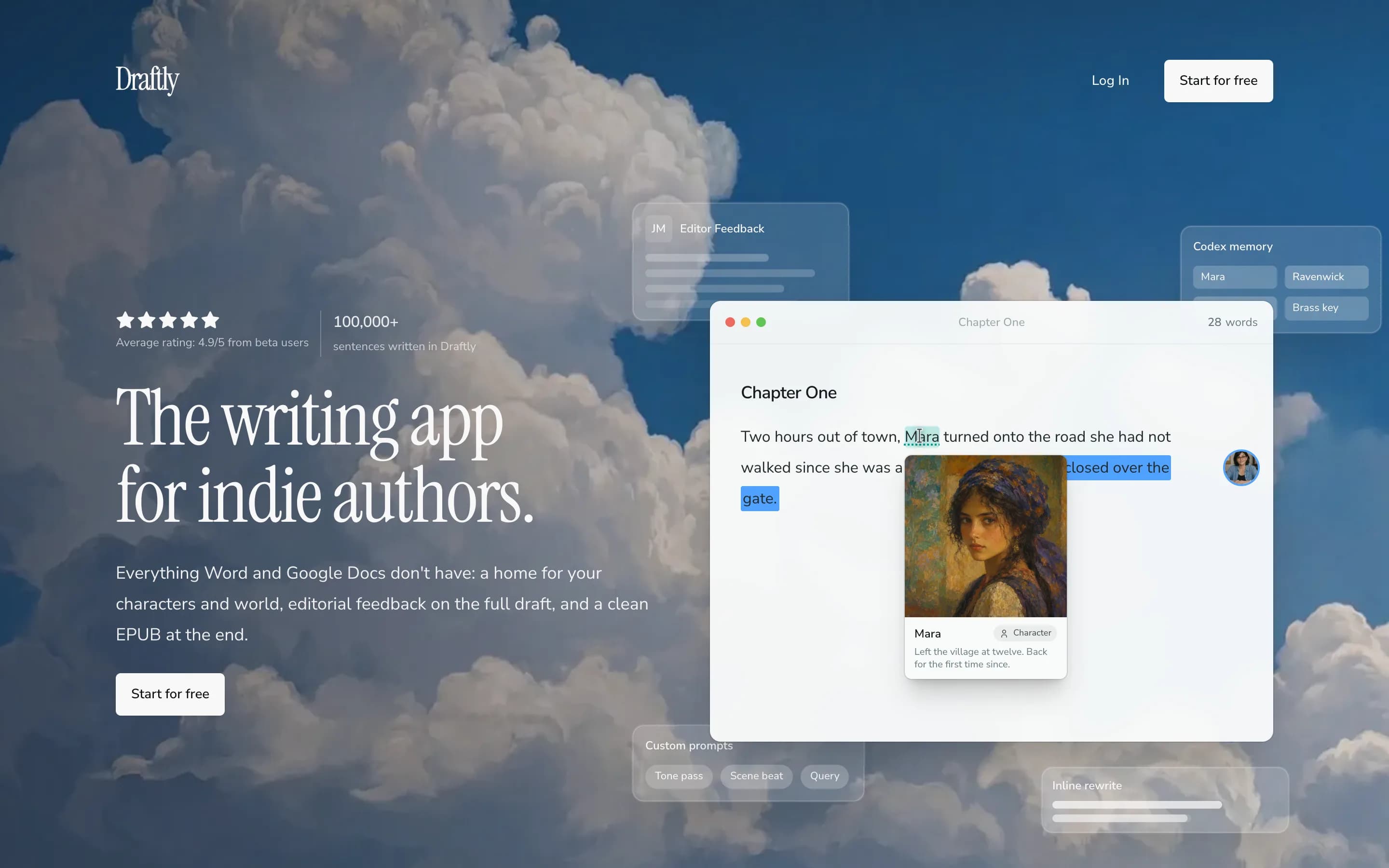
The part Scrivener leaves to you is the part Draftly builds on. A Codex holds one entry per character, place or object, and it surfaces beside the chapter where that name appears. Boards draw who knows whom. Timelines put the order it happened next to the order you tell it. When the draft is ready, AI editors read the whole manuscript and leave notes in the margin in minutes.
The writing surface, the Codex, imports and exports sit on the free tier, which takes no card and has no time limit. Paid plans refill a credit balance for the editorial reads and add boards, timelines, version history, prose analysis and custom editors. A co-writer or a trusted reader works in the same document, and their notes land in the margin, not in your inbox. Exports cover EPUB, Word, a print-ready PDF, Markdown, RTF, ODT and plain text.
What it does well
- Opens a .scriv project directly, so moving is an upload
- Codex holds characters, places and objects beside the chapter
- AI editors read the full manuscript and answer in minutes
- Boards and timelines for structure and chronology
- Free tier covers the editor, Codex, imports and exports
Where it falls short
- No Final Draft or Pandoc export
- No mobile app (yet)
2. Dabble
- Best for
- Someone who liked Scrivener's shape and wanted it in a browser
- Price
- Writer $19, Author $29, Bestseller $49 a month. Lifetime Author Access $699. 14-day trial, no card.
- Runs on
- Browser, plus Windows, Mac and Linux
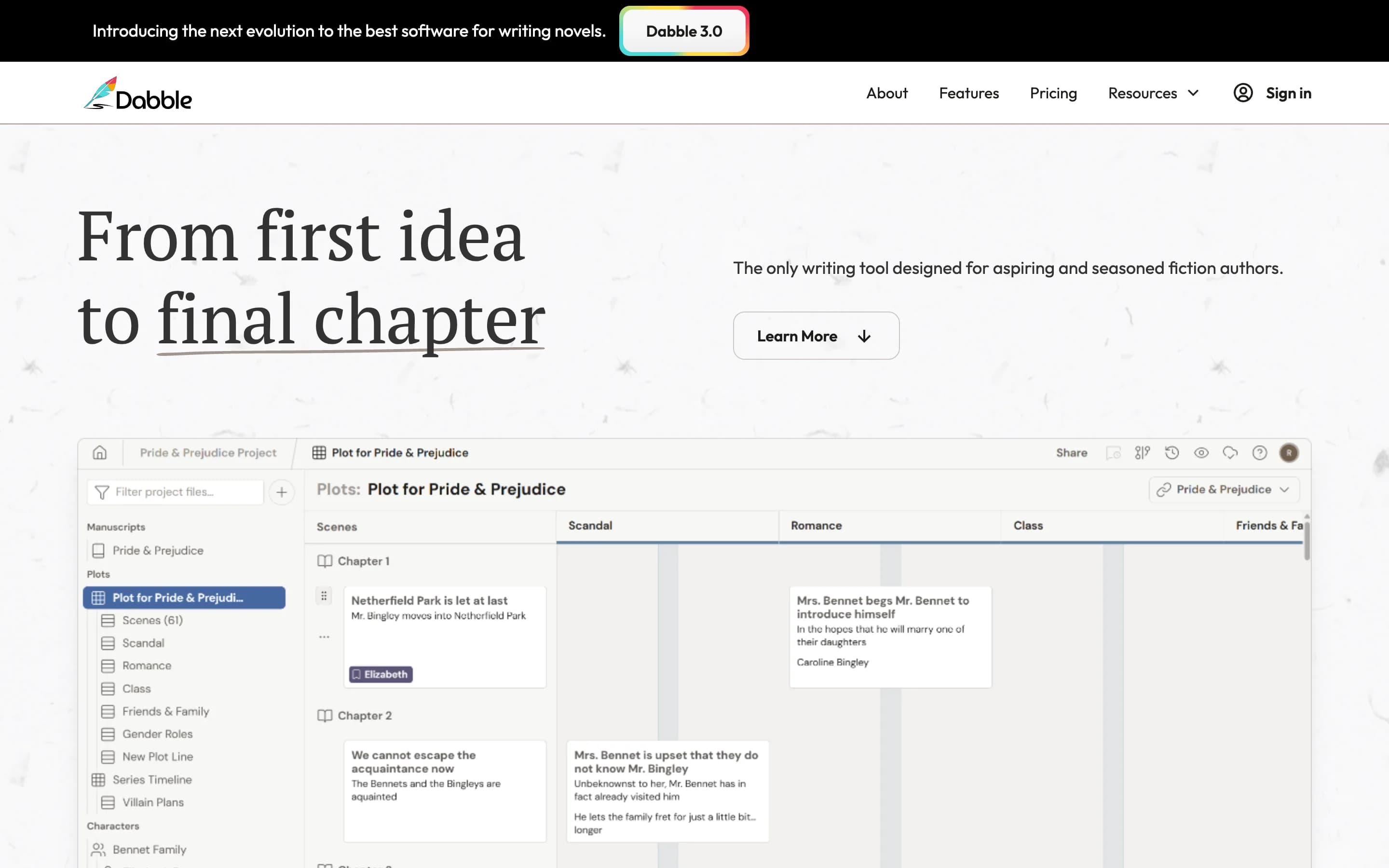
Scrivener's shape survives the move to a browser here, and more of it survives than you would expect. The Plot Grid stands where the corkboard was. Character Profiles hold traits, backgrounds and arcs. A Worldbuilding Bible keeps lore, maps, history and rules, and Series and Shared Worlds carry that cast across every book in a series. Plot Labels tag scenes by theme, point of view and tension. Around the writing sit Focus Mode, daily word-count goals, a NaNoWriMo tracker, an in-context thesaurus and read-aloud. For a revision pass there are comments, sticky notes, text highlighting and co-authoring, so a second reader can mark up the manuscript where it sits.
All of that is organising, and organising is where it stops. Nothing in the feature list reads the draft back to you: no notes on structure or pacing, no AI of any kind, and the site does not claim any. Export runs to Word, Google Docs and the web, so the step from finished manuscript to a file a shop will take happens in another tool. There is no free plan, only fourteen days, and the tier that carries comments and track changes is the one above the one you start on.
What it does well
- Plot Grid, Character Profiles and a Worldbuilding Bible
- Series and Shared Worlds carry a cast across books
- Comments, track changes and sticky notes for revision
- Co-authoring and reader sharing in the document
- Cloud backup and sync across devices
Where it falls short
- No free plan at all, only fourteen days
- The $19 entry price is the highest starting point here
- Comments, track changes and beta-reader support need the $29 tier
- Export reaches Word, Google Docs and the web, not a finished ebook
3. Atticus
- Best for
- A writer whose next problem is a paperback that looks bought rather than printed
- Price
- $147 once, future updates included, 30-day money-back guarantee.
- Runs on
- Browser, plus Windows, Mac, Linux and Chromebook
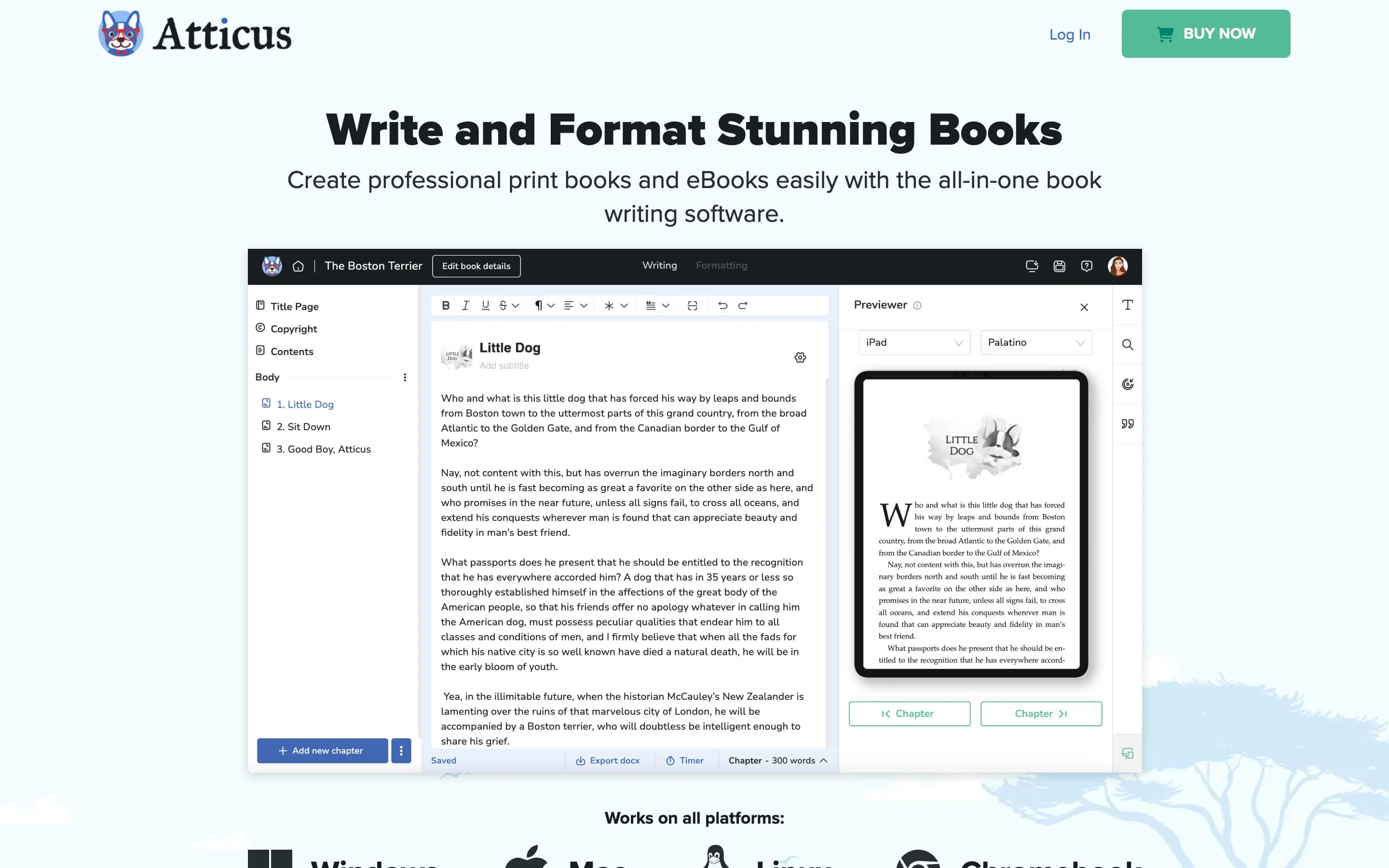
Atticus is a formatting tool that happens to include an editor, and the formatting half is thorough. Seventeen templates combine into more than a thousand looks, a custom theme builder covers anything they do not, and a multi-device previewer shows the result on an iPhone, an iPad, a Galaxy and a Kindle before you commit. Callout boxes, footnotes, full-bleed images, large-print settings, volumes and parts, drag-and-drop chapters: the controls are the ones a print interior needs. One file produces EPUB, PDF and DOCX. It runs in any browser and installs on Windows, Mac, Linux and Chromebook, and it is one payment of $147 with updates included.
The split is between formatting and writing, and everything on the writing side is thin by design. There is no character or world database, no plotting tools, and no read of the draft. Import takes Word files and Google Docs, so a project held anywhere else has to be flattened first. None of that is a flaw in the tool. It means the months before the manuscript is finished happen somewhere else, and Atticus picks the book up at the end.
What it does well
- Seventeen templates and a custom theme builder
- Previewer shows the result on Kindle, iPhone, iPad and Galaxy
- One file produces EPUB, PDF and DOCX
- Runs in a browser and installs on Windows, Mac, Linux and Chromebook
- One payment of $147, updates included
Where it falls short
- No character or world database, and no plotting tools
- Imports Word files and Google Docs only
- Import and export need a connection even though writing does not
- Built for the finished manuscript, not the drafting months
4. Novelcrafter
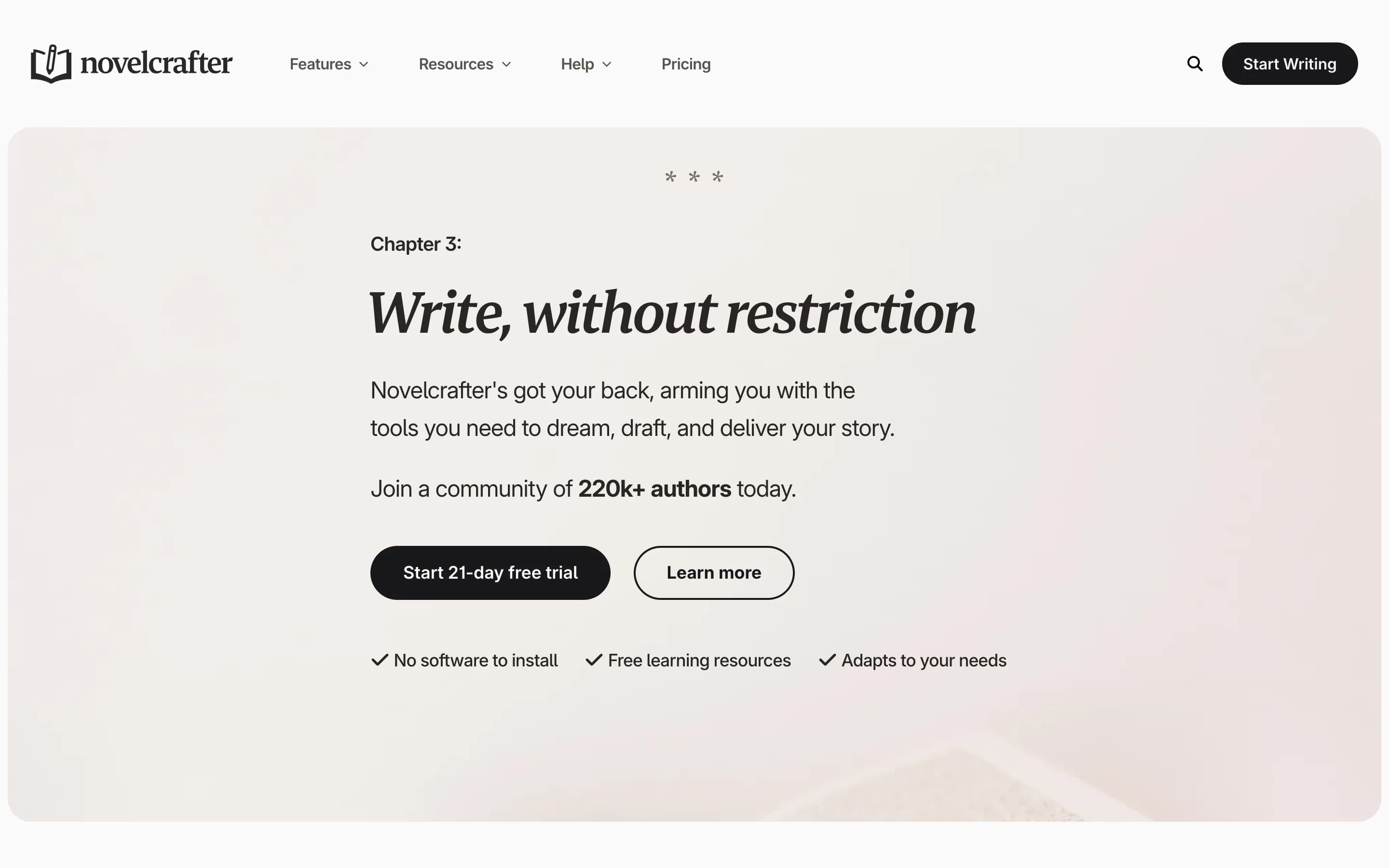
- Best for
- A writer who already pays an AI provider and wants to keep that bill separate
- Price
- Scribe $4, Hobbyist $8, Artisan $14, Specialist $20 a month. 21-day trial, no card.
- Runs on
- Browser
Novelcrafter puts the story bible at the centre of the app. Its Codex holds characters, locations and lore and links them into the prose automatically, and a series shares one Codex across every book in it. Planning views lay the same material out as a grid of scene cards, which is where plot holes tend to show themselves. A workshop chat sits alongside for brainstorming and review, and collaboration covers co-authors, proofreaders and editors. At $4 the entry tier is the lowest monthly price on this list, unlimited books and series are on every tier, and the twenty-one day trial is the longest here.
The AI is the part to read carefully, because you supply it. Novelcrafter connects to OpenAI, Anthropic, Google, Meta, Mistral, OpenRouter or a model running on your own machine, and every token you spend is billed by that provider, not by the subscription. That is cheaper for a heavy user with a key already, and it means the monthly figure is not what the month costs. It also makes the AI as good as the prompt you write: it answers scene by scene, on whatever you point it at, and there is no pass that reads the finished manuscript end to end to tell you what to fix first.
What it does well
- Lowest monthly price here at $4
- Codex links characters, locations and lore into the prose
- One Codex shared across a whole series
- Twenty-one day trial, the longest here, with no card
Where it falls short
- AI runs on a key you supply, so you pay the model provider separately
- The subscription price is not the price you end up paying
- Everything above the $4 tier assumes you bring a key
5. Sudowrite
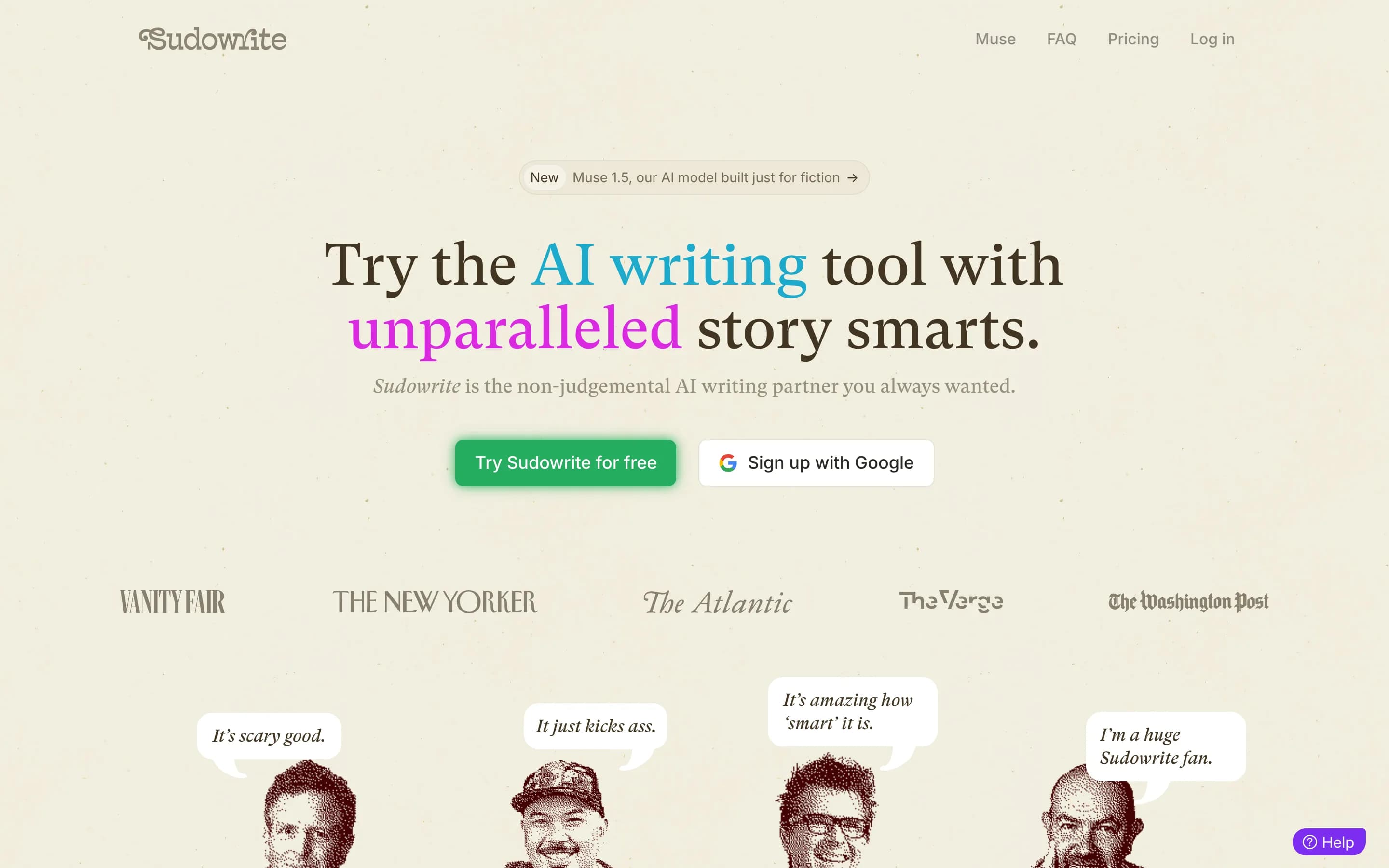
- Best for
- A writer stuck at the blank page who wants something to push against
- Price
- Hobby and Student $10, Professional $22, Max $44 a month. Free trial, no card.
- Runs on
- Browser
Sudowrite writes. That is the job, and it is unusually well equipped for it. A Story Bible runs from idea to outline to chapter beats to draft. Write suggests the next three hundred words in your voice, Describe fills in a passage, Expand slows a rushed section down, Rewrite offers alternatives a sentence at a time. Canvas is a brainstorming space for plot points and character arcs, Visualize turns a description into character art, and Feedback names five things to improve. More than a thousand community plugins cover the rest, from reader simulation to screenplay conversion. Unused credits roll over for a year on the top tier, and every tier has a trial that takes no card.
What it does not have is a place for the book to live. Drafts and chapters sit inside a project and the organising stops about there: no board of who knows whom, no timeline against which to check the order, no entry per character that follows the name into the scene. Feedback returns five areas, not notes against the lines that prompted them. And credits are the unit of everything, which is a hard currency to budget in when what you want to know is whether a month of writing is covered. In practice it sits beside a project tool, which is two subscriptions.
What it does well
- Story Bible runs from idea to outline to chapter beats
- Write, Describe, Expand and Rewrite work at the line
- Feedback names five things to improve
- Over a thousand community plugins
- Unused credits roll over for twelve months on Max
Where it falls short
- A credit allowance is hard to translate into chapters written
- No board, timeline or per-character entry to hold the book
- Ends up beside a project tool, not instead of one
6. Ulysses
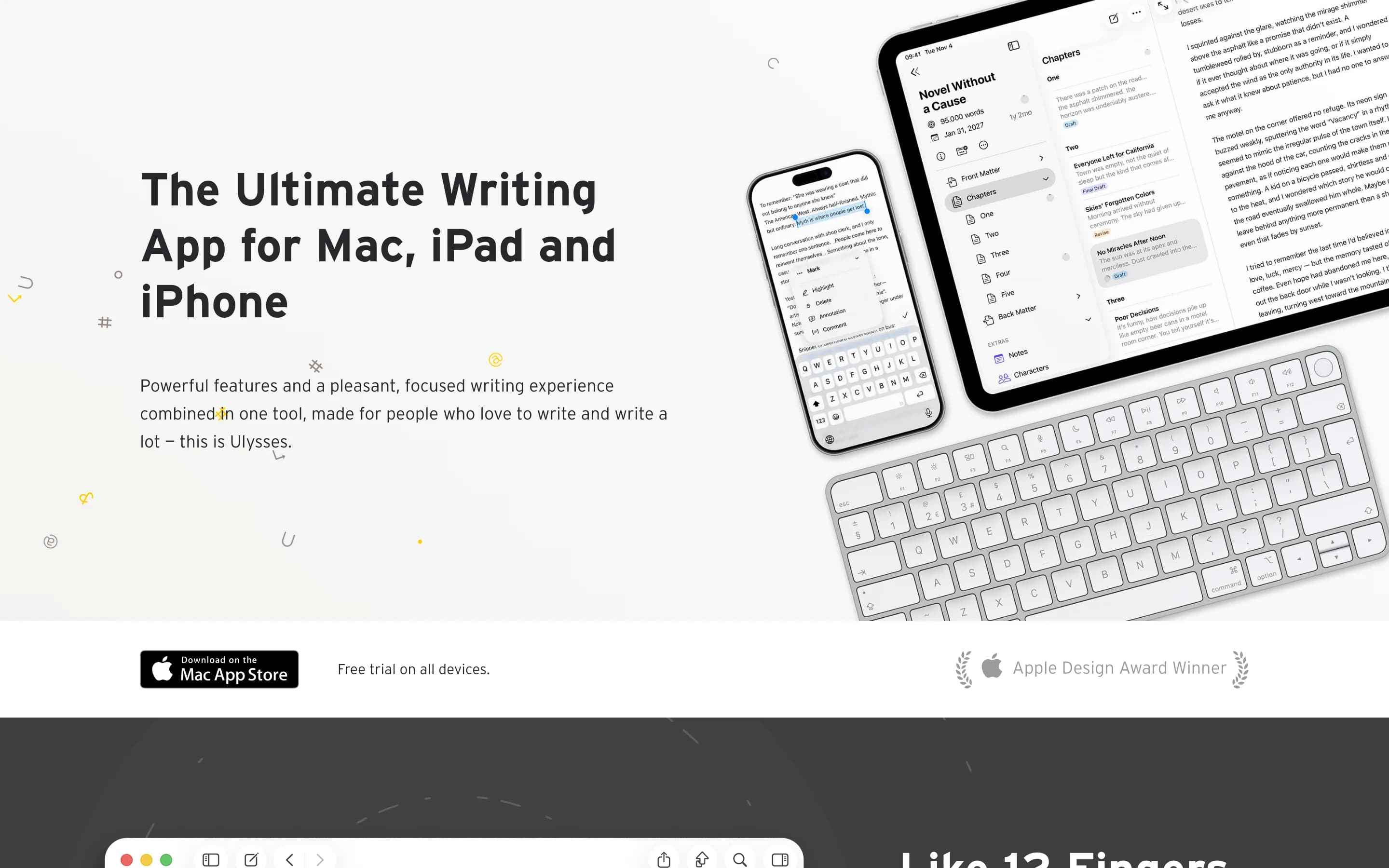
- Best for
- Someone who found Scrivener cluttered and wanted the opposite
- Price
- $5.99 a month or $39.99 a year. Reduced pricing for students.
- Runs on
- Mac, iPad and iPhone
Too many panels is a common complaint about Scrivener, and this is the answer to it. One plain markup surface, a library to keep drafts in, and sync across Mac, iPad and iPhone that arrives switched on. The supporting cast is quietly strong: a grammar and style check across more than twenty languages, character-count goals and deadlines, a live preview of how an export will look, and publishing straight to WordPress, Ghost, Medium and Micro.blog. Exports reach PDF, Word and ebooks. Across a year it is the cheapest subscription here, and there is reduced pricing for students.
The trade is total. The plotting and world-building furniture is absent altogether: no plot grid, no character database, no collaboration, no read of the draft. For a writer who keeps all of that in their head, or in a notebook, that is the point of the app. For a writer who came to Scrivener for the corkboard and the research folder, it removes the reason they were there. The other limit is hardware: Apple only, so no Windows, no Android and no browser, which is the same wall that sends people looking in the first place.
What it does well
- Cheapest across a year at $39.99
- Sync across the Apple devices is included
- Grammar and style check in more than twenty languages
- Publishes straight to WordPress, Ghost, Medium and Micro.blog
- Reduced pricing for students
Where it falls short
- Apple hardware only: no Windows, no Android, no browser
- Subscription with nothing to own at the end
- No plot grid, no character database, no collaboration
7. Squibler
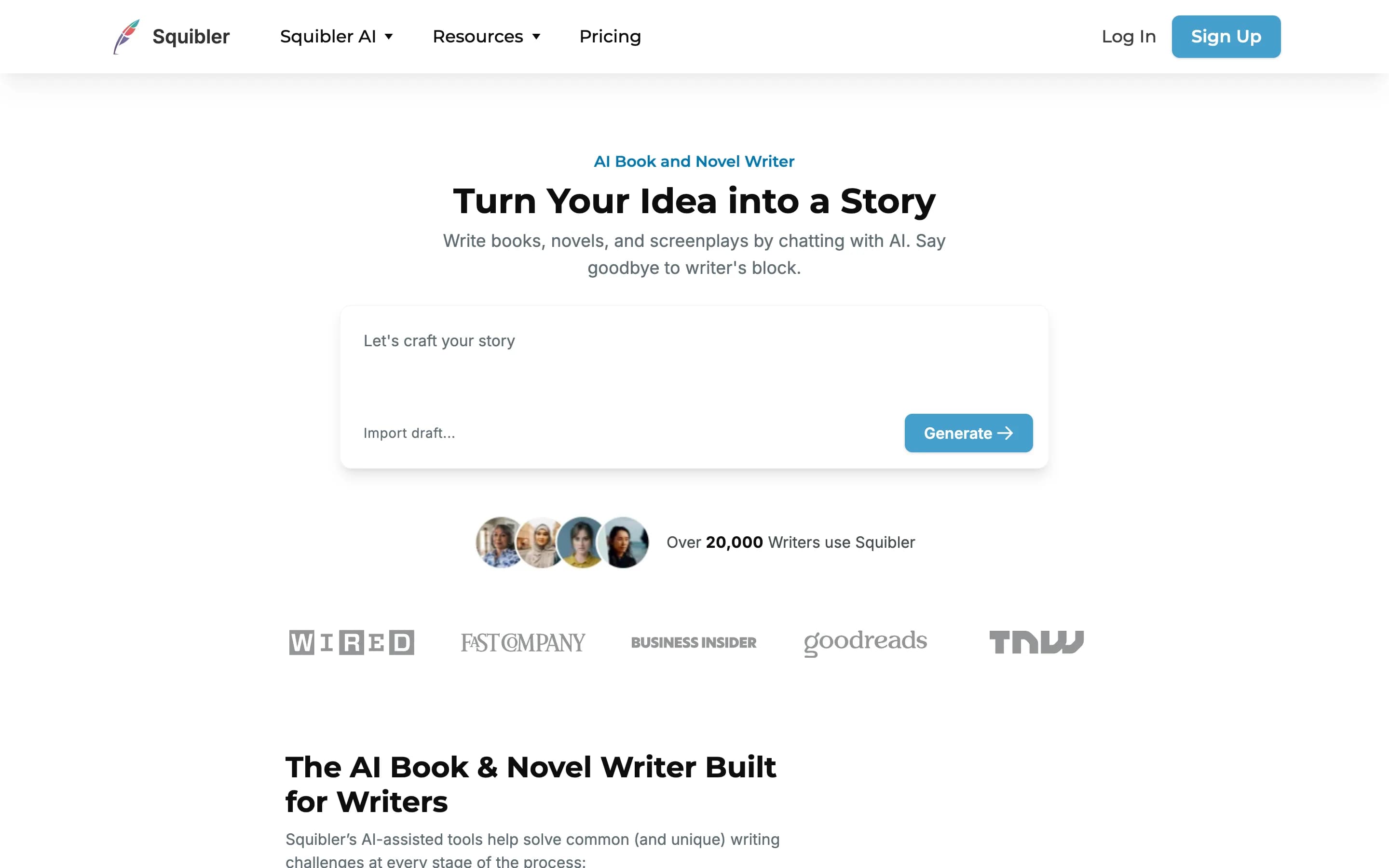
- Best for
- Testing whether an AI-generated first draft is any use to you
- Price
- Free plan $0. Plus $29.99 a month or $15.83 billed yearly. Pro $89.99 a month or $49.17 billed yearly.
- Runs on
- Browser
Generation is the whole pitch: full-length book and screenplay generation, story outline generation that maps structure, pacing and character progression, an AI Smart Writer for revisions, and Elements Creation to keep characters, settings and key details structured behind it. Visuals Generation makes images and cover art from passages, and it translates across more than eighty languages. Work is organised into chapters and scenes. The free plan is a real one, not a countdown: a thousand AI credits a month, no card, which is enough to find out whether an AI first draft is any use to you.
It is worth being clear about what that buys. The product is aimed at getting a book out of a prompt, not at finishing the one already half-written in your drafts folder, and the structured elements exist to feed the generator, not to be somewhere you keep your world. And the pricing runs the other way from everything else on this list: the top tier is the most expensive monthly figure here by a distance, and the monthly rate is close to double the annual one.
What it does well
- A real free plan: 1,000 AI credits a month, no card
- Generates a full draft, outline or screenplay from a prompt
- Elements keep characters and settings structured
- Annual billing cuts 45 per cent off
Where it falls short
- The top tier is the highest monthly figure on this list by a distance
- The monthly rate is close to double the annual one
- Pitched at generating books, not finishing the one you are writing
Free alternatives, if you would rather spend nothing
bibisco Community edition
Free, and built for novels from the start: characters, scenes, chapters and storylines with a structural overview, running on Linux, macOS, Windows, Android and iOS in fifteen languages. The character work is unusual, built around qualities, defects and contradictions. A paid Supporters edition funds development. It installs on the machine and does not run in a browser, so on the question that sends most writers off Scrivener it lands in the same place.
Manuskript
Open source, and the closest of the free options to what Scrivener is for: a hierarchical outliner, character and plot tools that link to each other, world-building notes and a distraction-free mode, plus a novel assistant that walks the snowflake method. It installs on Windows, macOS and Linux and does not run in a browser.
yWriter
Written by Simon Haynes, a programmer who has published around thirty novels, and it shows in the model: the book breaks into chapters and scenes, and every scene carries its viewpoint character, goal, conflict and outcome. There is a storyboard view, drag-and-drop reordering and automatic daily backups. Free on Windows. The Mac and mobile builds come from another developer and are paid, and there is no browser version.
Google Docs
Worth naming because a lot of finished novels were written in it, and because sharing and comments are the reason people stay. It holds text and stops, so the cast, the places and the order of events stay in whatever spreadsheet you were already keeping them in.
Draftly free tier
No card and no time limit. The editor, the Codex, imports and exports are free, along with 200 welcome credits to try editorial feedback. Boards, timelines, version history, prose analysis and custom editors need a paid plan.
Every tool at a glance
| Tool | Price | Payment | Runs on | Free tier | Best for |
|---|---|---|---|---|---|
| $0 to $50 a month | Monthly, or a one-off credit pack | Any browser, plus Mac and Windows apps | Yes, no card | The whole book in one place | |
| Scrivener | $59.99 per platform | One payment | macOS, Windows, iOS | 30 days of use | Writers already on it |
| Dabble | $19 to $49 a month | Monthly, or $699 lifetime | Browser, Windows, Mac, Linux | 14-day trial only | A clean browser writing app |
| Atticus | $147 | One payment | Browser, Windows, Mac, Linux, Chromebook | No, 30-day refund | Formatting a finished book |
| Novelcrafter | $4 to $20 a month | Monthly, plus your own AI bill | Any browser | 21-day trial | AI on your own API key |
| Sudowrite | $10 to $44 a month | Monthly | Any browser | Trial, no card | AI drafting help |
| Ulysses | $5.99 a month or $39.99 a year | Subscription only | Mac, iPad, iPhone | No, free trial only | Writing with the furniture gone |
| Squibler | $0 to $89.99 a month | Monthly or yearly | Any browser | Yes, 1,000 credits | Generating a draft from a prompt |
What Draftly does that Scrivener does not
| Feature | Scrivener | |
|---|---|---|
| Open the book in a browser | An installed app on macOS, Windows or iOS. No browser version. | |
| Sync you do not configure | Through Dropbox or iTunes, set up and maintained by you. | |
| One account covers every device | A macOS licence does not unlock the Windows version. | |
| Characters and places linked to the page | A research folder holds the files. It does not link them to where the name appears. | |
| Editorial notes on the whole draft | No AI features are documented. | |
| A co-writer in the same document | No live collaboration is documented. | |
| Export to Final Draft, MultiMarkdown and Pandoc | Compile reaches all three. |
Questions & Answers
- Is Scrivener free?
- No. The trial runs for 30 days of actual use, so it can last months if you write twice a week, but after that a licence is $59.99 for one platform. Two options here are free with no time limit and no card: Draftly's free tier, which covers the writing surface, the Codex, imports and exports, and bibisco's Community edition.
- How much does Scrivener cost?
- $59.99 for one platform, bought once. The second platform is discounted, and covering macOS, Windows and iOS comes to $121.93. There is no subscription and nothing to renew, but there is also no single licence that follows you from a Mac at home to a PC at work. One Draftly account covers every device it runs on.
- Is Scrivener worth it?
- If you write on one machine and you use the Binder and Compile, yes: twenty years of development sit behind them and nothing here matches its export engine. It stops being worth it the day you need the book on a second machine, on a phone or in a browser. At that point the useful test is cheap, because Draftly opens a .scriv project directly and the move costs an upload.
- Does Scrivener sync across devices?
- Not by itself. Moving a project between a Mac and an iPad runs through Dropbox, set up and maintained by you, and conflicted copies are the complaint r/scrivener returns to most often. Windows has no official mobile sync at all. A browser tool syncs because the project never leaves the server, which is how the same Draftly draft is open on a laptop and a phone.
- Does Scrivener work on a Chromebook or in a browser?
- No. Scrivener installs on macOS, Windows and iOS only, so a Chromebook, an Android tablet or a borrowed laptop cannot open the project at all. The browser-based tools on this list open on all three: Draftly, Dabble, Novelcrafter, Sudowrite and Squibler.
- Can I move my Scrivener project into another tool?
- Draftly opens a .scriv project directly, so the chapters and their structure survive the move. Most of the others take Word or Markdown, which means rebuilding the tree by hand. Whichever you pick, compile a plain-text copy first: Scrivener's backups live inside its own file format.
Un seul endroit pour tout le livre.
Ouvrez un chapitre et tout ce qu'il lui faut est déjà à côté : les personnages, les lieux, les règles que vous avez inventées, la note que vous vous êtes laissée en novembre. Rien à chercher, rien à synchroniser à la main — et sans ces frottements, les jours où vous écrivez commencent à s'accumuler.